
Docsource mobile bookmarklet
As part of my focus on mobile performance I’ve been happily using the Mobile Perf bookmarklet. The information provided by Page Resources and DOM Monster are a great start at figuring out what’s going on in mobile web pages.
Last week I wanted to examine the use of transcoders on various carrier networks. The easiest way to do this is to look at the document source of the web page. But guess what? There’s no way to do that on most mobile browsers! So I wrote a bookmarklet for that and added it to Mobile Perf. Here’s the before and after shots.
| OLD | NEW |
|---|---|
 |
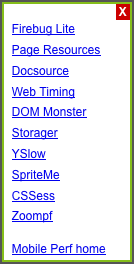 |
That’s right – I created the new Docsource bookmarklet for viewing the page’s document source. It’s a piece of core functionality that is indispensable for analyzing websites. You can add the Docsource bookmarklet by itself, but I encourage you to add the Mobile Perf bookmarklet to get the entire collection of mobile bookmarklets.
Installation
MOBILE: Install the Mobile Perf bookmarklet on mobile devices as follows:
- click this link: Mobile Perf bookmarklet
- bookmark this page
- edit the bookmark URL and remove everything up to and including the hash (“
#“) so that the bookmark URL starts with “javascript:“
Here are step-by-step instructions for iPhone.
DESKTOP: It’s much easier to install on a desktop browser – just drag this link (Mobile Perf bookmarklet) to your bookmarks toolbar or add it to your favorites.
What it does
Here’s how Docsource works:
| Launching the Docsource bookmarklet displays a popup with two choices: |  |
| Expand the docsource in the current page… |  |
| …or click “open in new window” for a bigger view. |  |
| Zoom in to see the raw HTML. |  |
Access to document source is now yours – even in mobile browsers!
Before you say it let me agree – analyzing document source (and the information from other bookmarklets) on the mobile device is painful. I strongly believe that we want to gather performance data on the mobile device but analyze that data remotely. I’ve got something in the works to solve that problem and hope to announce it at my workshop at Webstock: The Long Tent in the Performance Pole. If you can’t make it to New Zealand don’t worry – I’ll do a simultaneous blog post.
Back to work…
bookmarklets for mobile: Mobile Perf and Page Resources
As I announced yesterday, I’m now focusing on mobile performance. Not surprisingly, I’ve laid claim to MobilePerf.com and MobilePerf.org. Right now they just redirect to my Mobile Perf home page. Step 1 is complete.
So – what should we do next?
I’m on my Nexus S and iPhone all the time and find surfing the Web to be agonizingly slow. That’s not a huge surprise – hence my current job as a performance wonk. (Oooo – that’s a good name – perfwonk.com and perfwonk.org booked.) Being a performance wonk I always wonder why the sites I visit are slow on mobile. To figure that out I need some visibility into mobile browsers.
The problem is the browser tools we use on our desktop (Firebug, Page Speed, YSlow, Dynatrace, Speed Tracer, etc.) don’t work on mobile devices. Many of these are browser add-ons which aren’t (yet) supported on mobile. Others are executables that are limited to specific OSes which don’t include any mobile OS.
I’ve built a bunch of browser tools. Before I start coding a new one I pause and ask myself, “Bookmarklet, Greasemonkey script, or add-on?” in that order. Here’s the high-level trade off analysis:
- Bookmarklets generally work across all browsers. They’re plain JavaScript which I know pretty well. But they have no special privileges, so things like same domain restrictions still apply.
- Greasemonkey scripts work across several of the major browsers. They’re mostly JavaScript with a small API that unfortunately varies by browser, so they’re slightly more complex to build than bookmarklets. The benefit over bookmarklets is they have greater functionality including automatic launching and cross-site XHR.
- Browser add-ons are the most powerful, but they’re also the most complex to build. The development stack is different in each browser, and most non-major browsers don’t support add-ons.
For mobile our hands are tied – bookmarklets are really the only choice right now. Over the weekend I wanted to start analyzing mobile browsers so I found some useful bookmarklets to do that: Firebug Lite, DOM Monster, SpriteMe, CSSess, and Zoompf. I also built a new one: Page Resources.
Setting up bookmarklets in a desktop browser is easy, but it’s more painful in mobile browsers. I wasn’t looking forward to setting up each of these bookmarklets on multiple devices, let alone evangelizing that to other mobile developers. In email with Thomas Fuchs about making DOM Monster open to the public (which he nicely did) he suggested I create a meta-bookmarklet that linked to these other bookmarklets. So I did!
Now you can install the Mobile Perf bookmarket and get access to a variety of other bookmarklets through a simple popup menu. One stop shopping for bookmarklets! This works equally well in desktop browsers, but it’s especially helpful on mobile where setting up bookmarklets is more time-consuming. (Checkout the step-by-step mobile installation instructions – quite a bit more complex than a simple drag-and-drop.)
You can see screenshots of each bookmarklet on the Mobile Perf bookmarket home page. As usual I could use help with the UI. (You can see mobileperfbkm.js and pageresources.js, so just send me patches.) Certainly send me bugs and suggestions for other bookmarklets you think should be added. Before sending a suggestion please test it on some mobile devices and make sure it works well.
Next I’ll be analyzing a bunch of websites and seeing if I can find some core issues. Plus I’ll be enhancing these tools and trying pcapperf with my new 13″ MackBook Air to generate HTTP waterfall charts and Page Speed reports.
Announcing my focus on mobile
For over a year I’ve been saying that I want to focus 100% of my time on mobile performance. I’m finally there. It might not be literally 100% of my time, but I hope to spend most of my research cycles investigating mobile.
My approach to building a practice around mobile performance will follow a similar path as what I did for desktop web:
- Measure
- Identify what to measure wrt performance and services to measure that.
- Profile
- Gather a set of tools that provide visibility into performance issues. Since there’s a lack of tools in this space we’ll have to build them.
- Research
- Analyze mobile performance problems using the identified tools and metrics.
- Best practices
- As a result of this research gather the tips & tricks that have the biggest impact on improving mobile performance.
- Evangelize
- Get the word out! Write case studies, blog posts, and books(?). Speak at conferences
- Lint
- Build tools that spot the performance problems that are most important to fix.
- Automate
- Provide services that automatically apply the performance fixes.
My initial focus is mobile devices over wifi. This allows me to nail down the behavior of mobile browsers independent of the wrinkles introduced by the mobile network. Once the mobile browser variables are well understood I’ll look at the idiosyncrasies of the mobile networks themselves. I’m especially excited to build an archive of transcoding behaviors that harm performance. I’ll dig into the performance of native apps once the behavior of mobile web performance is well understood.
I have a slightly ulterior motive for this announcement. I really want to speak at Mobilism May 12-13 in Amsterdam. (If you do mobile development make sure to register early.) Unfortunately, the speaker schedule is full so I have to convince the organizers I have enough good stuff to present that they need to somehow fit me into the schedule.
Tune back here tomorrow for my first announcement on mobile tools. (Assuming I finish it tonight.)